
 BinaryScript

Offline cash book for income and expenses
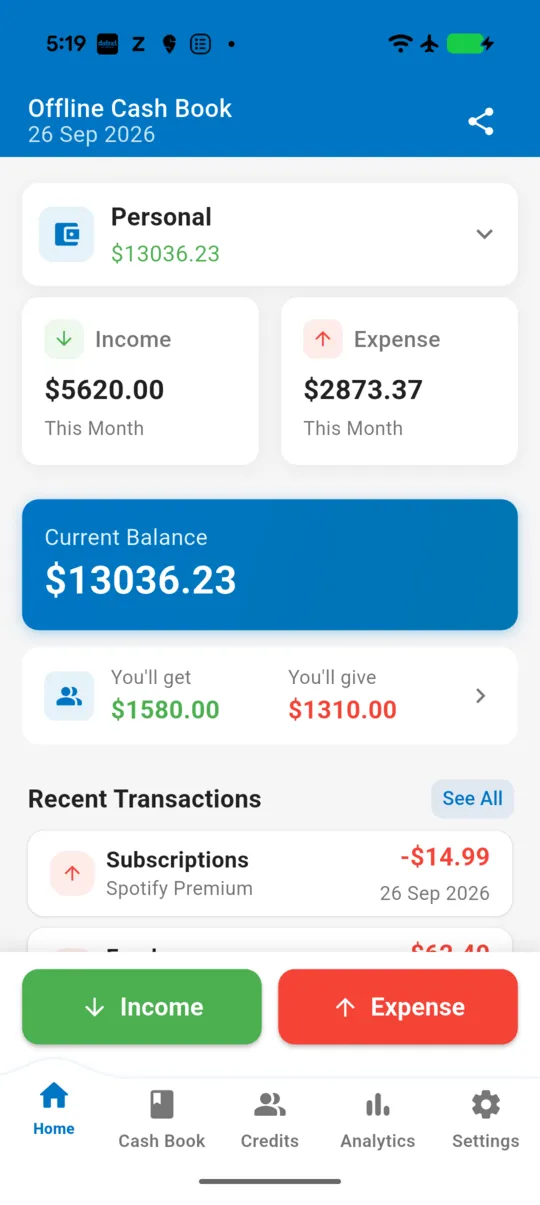
Offline Cash Book is a simple place to record what you earn and what you spend. Add an entry in a few taps, keep more than one book, and see exactly where your money went, with no internet connection and no spreadsheet.
Your money, on your phone
Kept on your phone.
Your entries are kept on your phone. No connection is needed to add, edit or review anything.
Export any time.
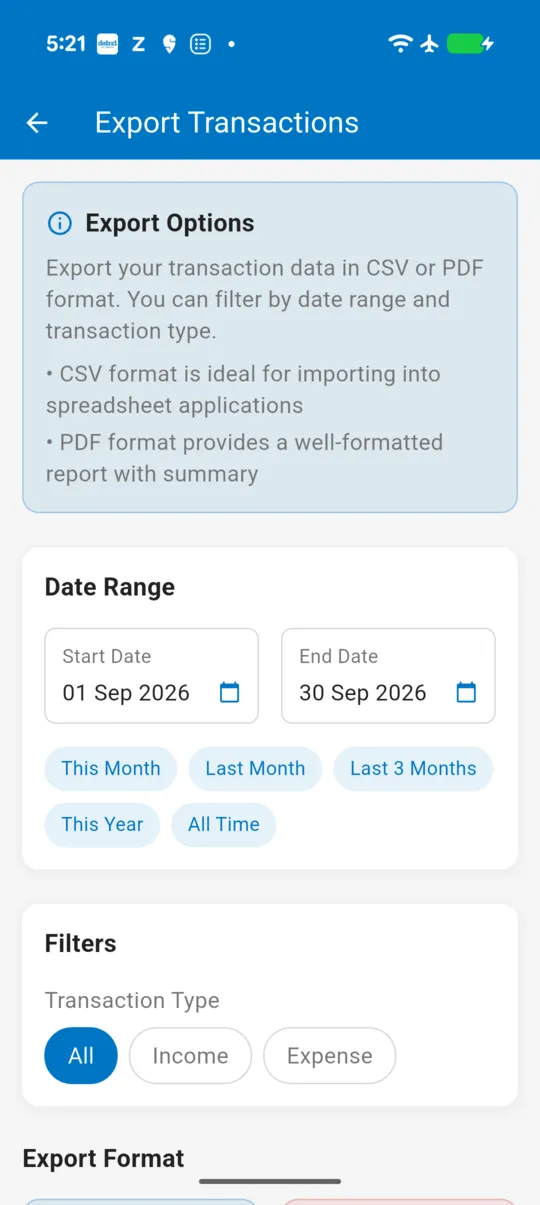
Export any date range to CSV for a spreadsheet, or to PDF as a formatted report with totals.
Optional backup, and a lock.
Turn on cloud backup to restore your entries on a new phone; the backup is encrypted on your phone before it is uploaded. Lock the app with your fingerprint or face.
Free plan and Premium
Use it free with a monthly entry limit and one book. Premium removes the limits and adds more books and cloud backup: pay monthly, yearly or once, as your store offers it, often after a free trial.
A look inside Offline Cashbook
What Offline Cashbook does
Record every entry
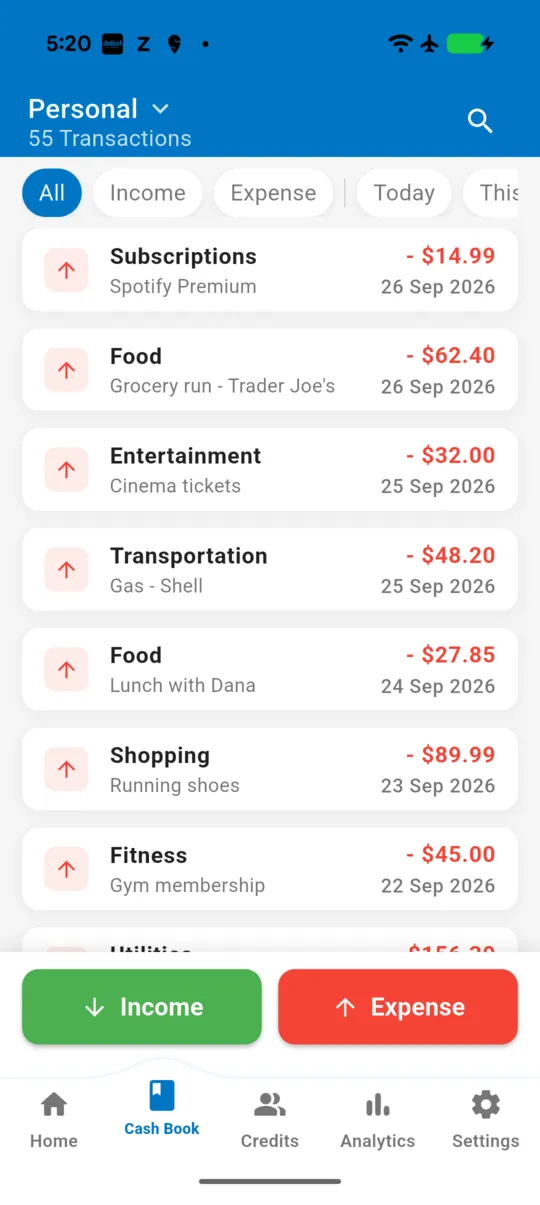
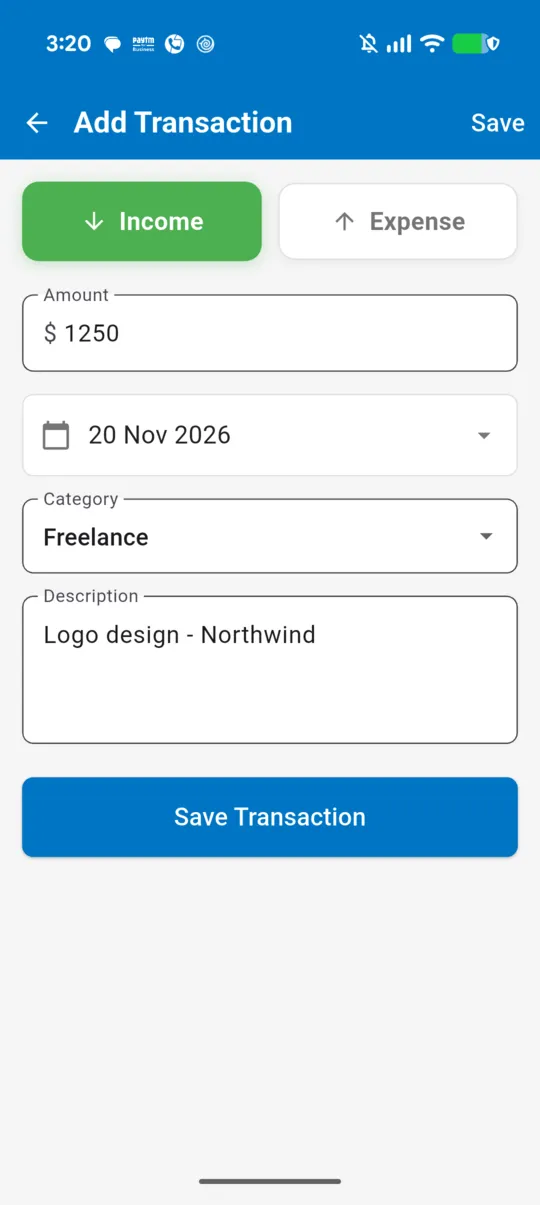
Add income or an expense in a few taps, with a category, a note and a date. Filter by income, expense, today, this month or any date range.
Keep separate books
Run more than one cash book: personal, business, a travel fund. Each keeps its own balance and history.
Credits: who owes whom
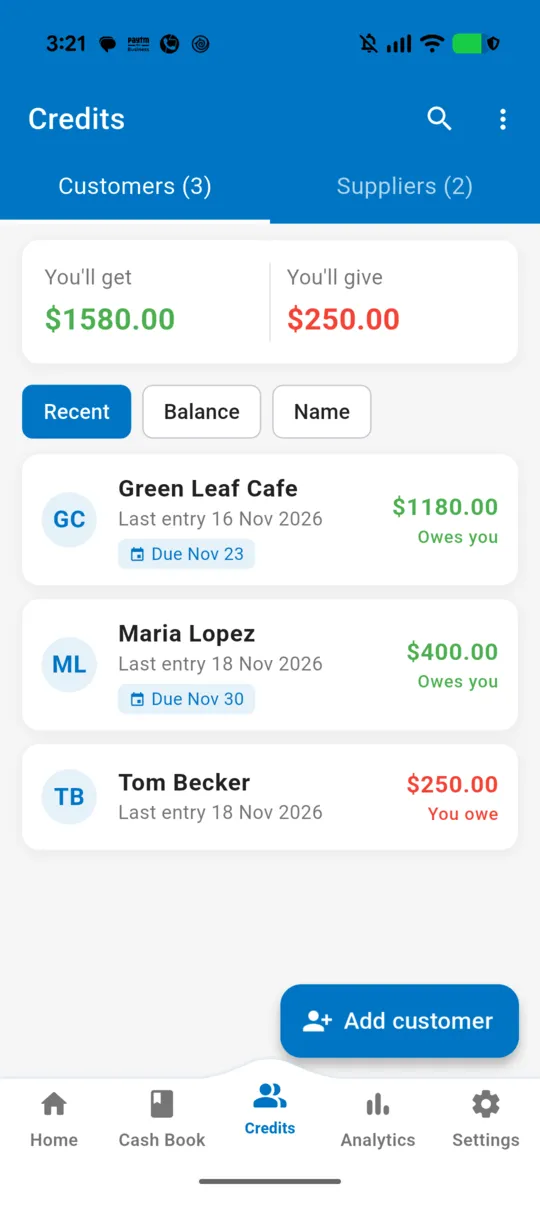
Keep customers and suppliers and what each owes, with a running balance, due-date reminders, WhatsApp reminders and a PDF statement.
See where it goes
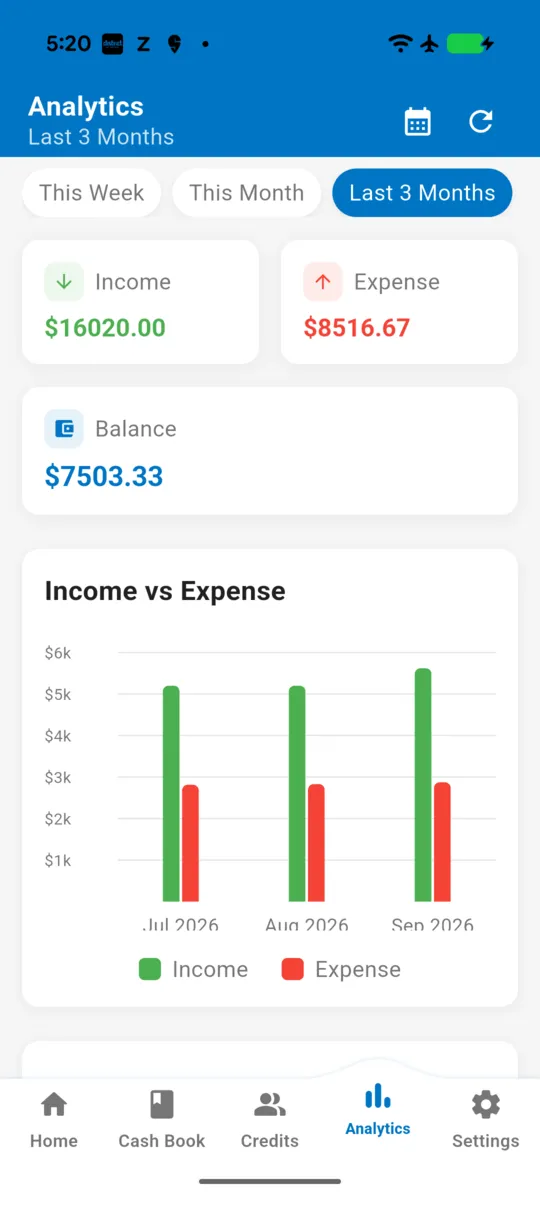
Income against spending for this week, this month or three months, and a category breakdown that ranks every category by amount.
Make it yours
Your own income and expense categories, 57 currencies, in your own language, with the date format you prefer.
On your home screen
Add income or an expense straight from the Android home-screen widget.
Good to know
Can I use it as a daily cash book for my shop?
Yes. It is made for anyone tracking personal spending and for small shop and business owners keeping a daily cash book. Keep a separate book for the business, with its own balance and history.
Does it need internet?
No. No connection is needed to add, edit or review anything. It works on a plane, in a basement or on a weak network.
Where is my data kept?
On your phone. If you turn on cloud backup, a copy that is encrypted on your phone before upload is stored in Google's Firebase, so you can restore it on a new phone.
Can I export my entries?
Yes. Export any date range to CSV for a spreadsheet, or to PDF as a formatted report with totals.
How much does it cost?
Use it free with a monthly entry limit and one book. Premium removes the limits and adds more books and cloud backup: pay monthly, yearly or once, as your store offers it, often after a free trial.
Get Offline Cashbook
Install it, add your first entry, and your cash book is running.
More apps

Offline Khata
A digital udhaar ledger: see who owes you and remind customers to pay, with no internet.
View app
Simple Invoice Maker
Create GST invoices for your business. Fast and simple.
View app
AutoPay Manager
Find autopays, subscriptions and EMIs from your bank SMS, with voice alerts and reminders.
View app