
 BinaryScript
Your Android notification history, saved and searchable
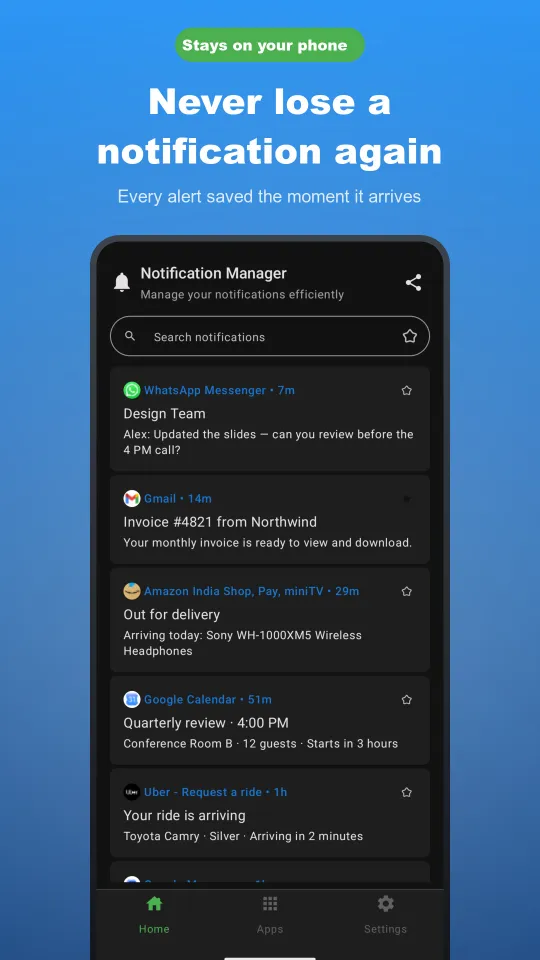
Notification Manager keeps a complete, searchable history of every notification your phone receives. Swipe one away by mistake, miss a code, or lose a message in a busy chat — it is still here, with the full text, the app it came from and the time it arrived. It is made for anyone who dismisses a notification too fast: people juggling work chats, shoppers tracking deliveries, and anyone who wants a record of what their phone told them and when.
A look inside Notification Manager
What Notification Manager does
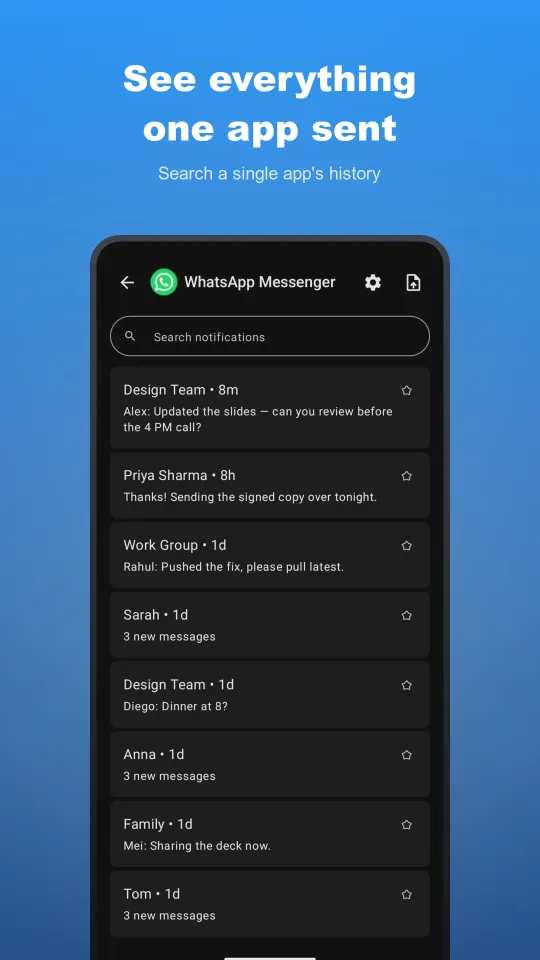
A log of every notification
Each one is saved the moment it arrives, newest first, with the app and the time.
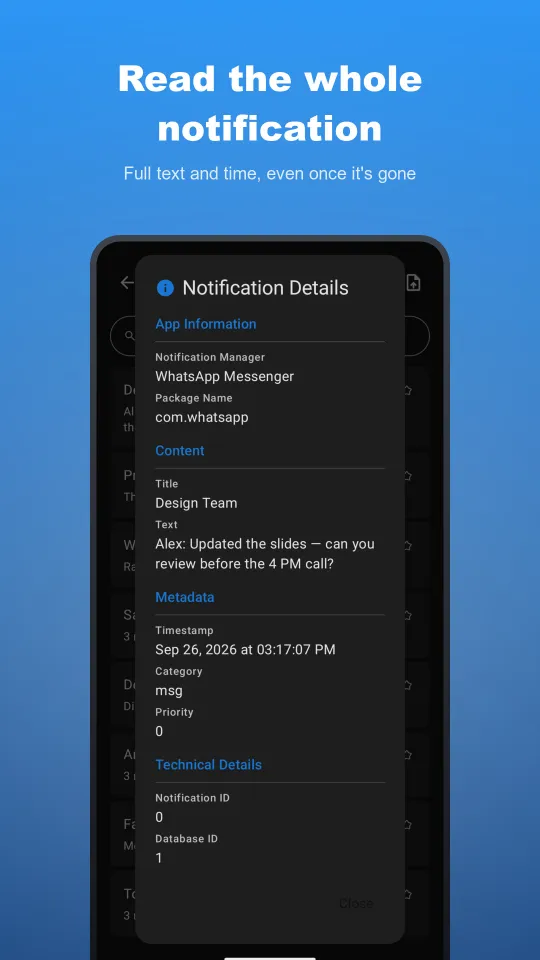
Read it again
The full text is still there long after you dismissed it.
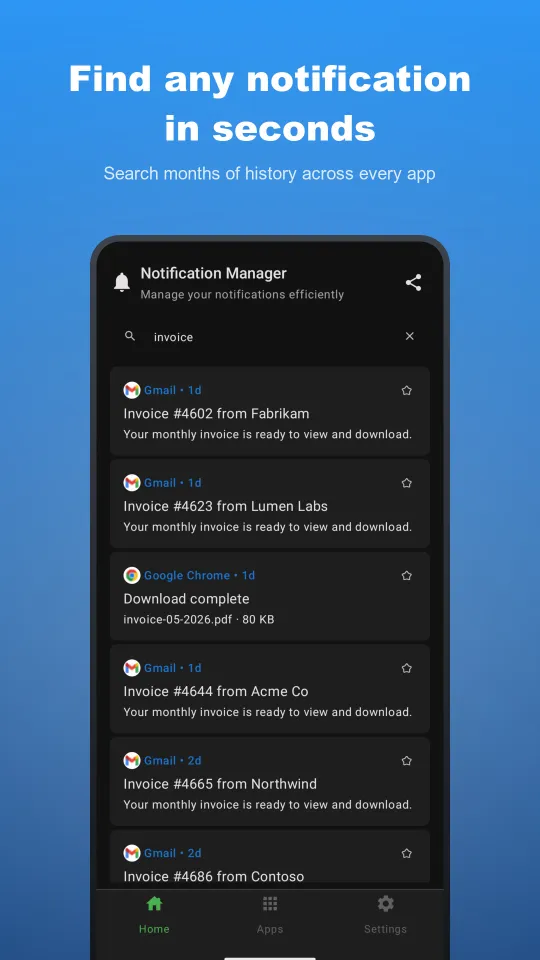
Search
Find any notification by typing a word from its title or message, across your whole history or one app's.
Star what matters
Star the ones you need and find them in one tap.
Control every app
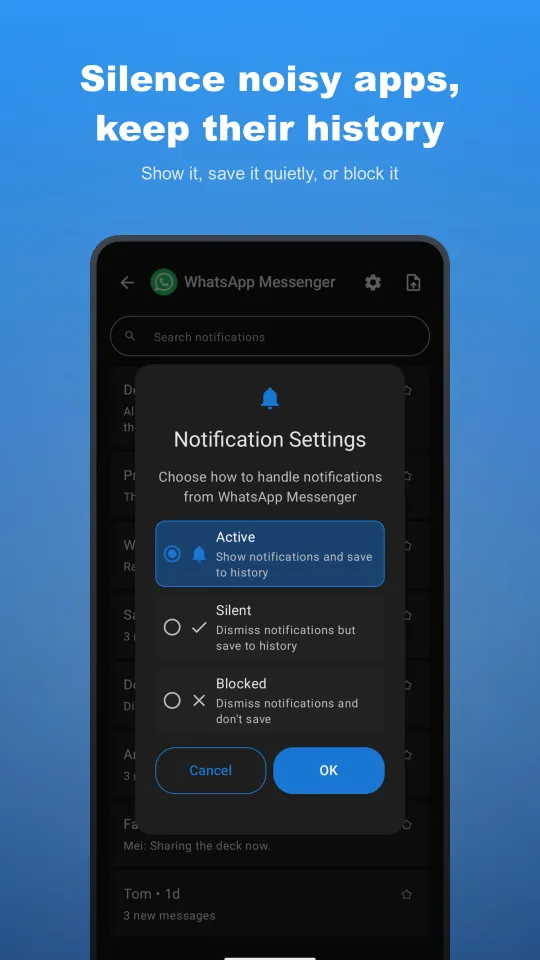
See which apps notify you and how often; keep an app active, silence it, or block it entirely.
Private by design
The text of your notifications is stored on your phone and never uploaded, and on Android 11 and above you can lock the app with your fingerprint or screen lock.
Export
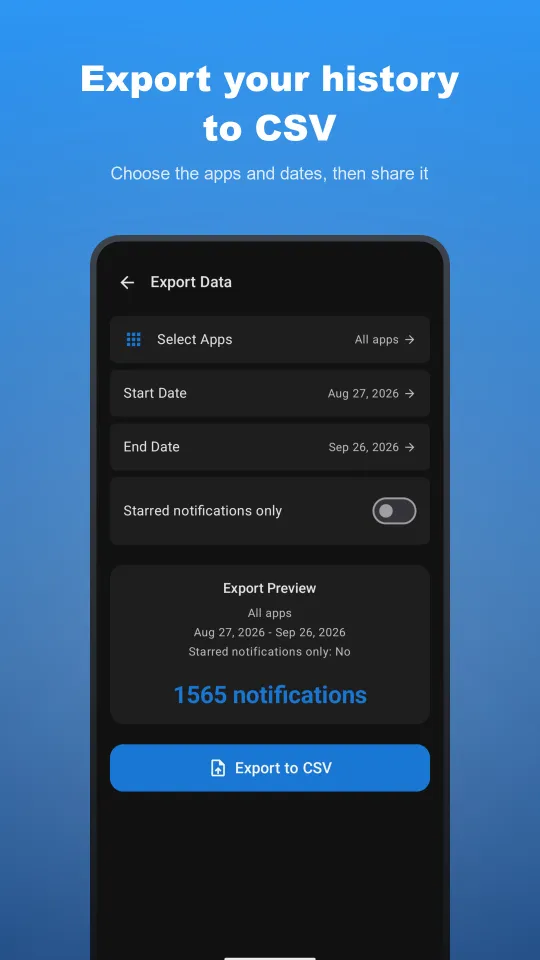
Pick the apps and the dates and export your history to a CSV file to share or save (subscription).
Good to know
Can I read a notification after I swiped it away?
Yes, if it arrived after you gave Notification Manager notification access: it is saved the moment it arrives, so you can open it and read the full text later. Notifications that were dismissed before you allowed notification access cannot be brought back.
How do I keep a log of my notifications on Android?
Install Notification Manager and allow notification access. From then on every notification is saved with its text, the app and the time, and keeps being captured in the background and after a restart.
Does Notification Manager upload my notifications?
No. The text of your notifications is stored on your phone. The app uses the internet for things like sign-in, purchases, crash reports and looking up the names and icons of the apps that notify you; the privacy policy lists what is collected.
Is Notification Manager free?
A free plan covers capturing, your full history, search, app control and the app lock, with no ads. A subscription adds export to a CSV file.
What permissions does it need?
Notification access, to read and save notifications at all; an exception from battery optimisation, so capture keeps working in the background; and permission to post a notification showing that the capture service is running.
Which phones does it work on?
Android 10 and above.
More apps

AutoPay Manager
Find autopays, subscriptions and EMIs from your bank SMS, with voice alerts and reminders.
View app
Voice Lock
Unlock, lock and find your phone with your own voice. Private and on-device.
View app
AirChat
Chat, call and share files on the same Wi-Fi. No internet, no account.
View app